Keeping track of user URL history
Hey, did you know that the browser has native functionality that maintains the history of pages accessed by a user? As you build up your website, a small UX consideration you might want to make is tracking said URL history to improve the UI.
Scenario 1: Let's say I mozy over to the log in page. Once logged in, maybe the app pushes me to the home page. Cool!
Scenario 2: Now, let's say I want to access a protected route. Once I've logged in, the app should boot me back to the route I was originally trying to access.
To access the location aka URL metadata, React provides a built in hook called useLocation
Usage
import { useLocation } from "react-router-dom"
const location = useLocation()
Console logging the value of location provides you an object that looks something like this:
{pathname: '/home', search: '', hash: '', state: null, key: 'default'}
The main thing we care about here are the pathname and state properties.
Conditionally, if a user hasn't been authenticated, we can use/ask the <Navigate /> component to push them to the /login endpoint.
<Navigate /> accepts a state prop and works cohesively with a users location history. Because of this, we can create a link between the previous attempted path, and a login page.
In our Navigate component definition we create a state object with a new key called "prevLocation", or whatever you want; and give it the value of our location path.
const protectedRoute = () => {
    const isLoggedIn = localStorage.getItem("loggedin")
    const location = useLocation()

    if (!isLoggedIn) {
        return (
            <Navigate
                to={"/login" }
                state={{
                    prevLocation: location.pathname
                }}
                replace
            />)
    }
    return <Outlet />
}
After the user is forced to our logic screen, the metadata of location now looks like this:
{pathname: '/login', search: '', hash: '', state: {prevLocation: '/home'}, key: 'er30evaf'}
If the user is logged in, then we'll render all of the protected routes via the <Outlet /> component.
On the login page, inside our authentication logic, we can specify that should any state exist in our path metadata, then boot the user back to that path, else just go back to the homepage.
Ignoring what an actual login component might have, a VERY simplified version of the location logic might look something like this:
import { useLocation, useNavigate } from "react-router-dom"
const location = useLocation()
const navigate = useNavigate()
	navigate(
	location.state // If there's state aka `prevLocation`
		? location.state.prevLocation // go to the url they originally wanted
		: "/home", { replace: true } // else, just go back home
	)}
In this example we sub out the component version of <Navigate /> with the useNavigate hook. They are one in the same; all you need to know is that:
== <Navigate /> == - If you need automatic or conditional navigation during the render process (e.g., redirection after successful login etc.).
useNavigate - You need navigation to occur in response to user actions or events (e.g., button click, form submission, or similar interactive events).
If you're wondering what the { replace: true } object is. Similar to a call stack, the browser gives us some built functionality called the History stack. replace = true just means that our navigate hook is going to replace the current location, which at this point would be /login, with the previous location ..
which would be something like:
/blog/secret-post-behind-auth-wall
User-flow
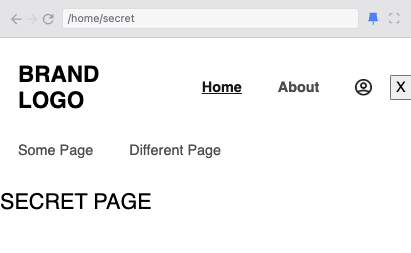
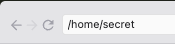
User tries to get this end point
Is booted to the login
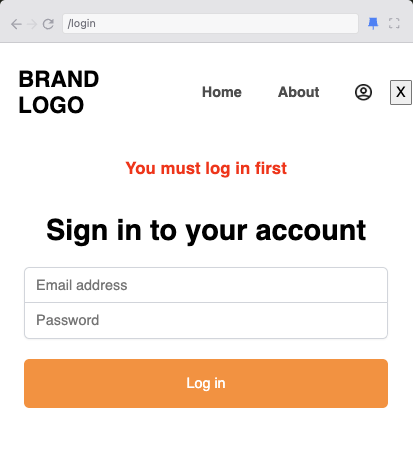
- Previous path was
/home/secret - Current path after the Navigate push is
/login - URL history now contains a state object with `prevLocation: '/home/secret'

User is navigated to the original page after login